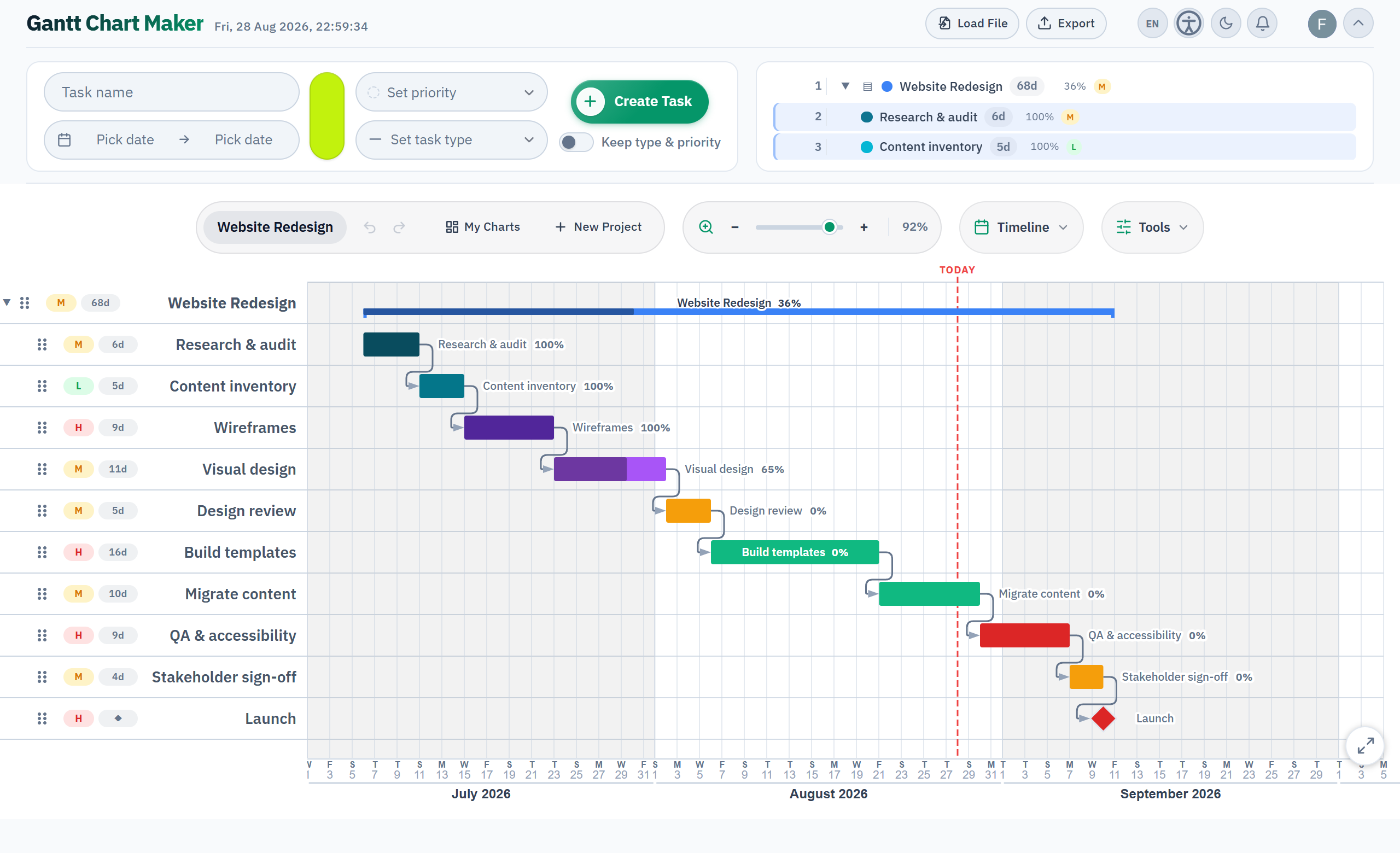
Connect Claude, ChatGPT, Grok or DeepSeek to Gantt Chart Maker over the Model Context Protocol. Describe the project in plain language and the assistant builds the chart, adds every task, links what depends on what, and leaves it in your account, fully editable.
Anything you would otherwise do by hand, you can ask for instead.
claude mcp add --scope user \
  --transport http ganttchartmaker \
https://mcp.ganttchartmaker.app/mcpFor clients that ask for a URL.
https://mcp.ganttchartmaker.app/mcp
Open Settings → Connectors, choose Add custom connector, and paste the same address. ChatGPT, Grok and the rest are covered in the guides below.
The same account you use on ganttchartmaker.app, so Google, GitHub or Microsoft. The assistant never sees a password or an API key, and it can only reach charts you own or collaborate on.
Fifteen of them. Each matches something you can already do by hand, and every call runs as you.
Lists the charts you own or have been invited to, most recently edited first.
Reads one chart in full: every task, date, dependency and note.
Reports whether a chart is shared, with whom, and at what level of access.
Starts a new, empty chart in your account.
Adds a task, a group or a milestone, with dates, colour, priority and notes.
Links two tasks so one waits for the other, and draws the arrow between them.
Adds, edits or removes the timeline events above the tasks, and shows or hides that row.
Rename it, move its dates, set how far along it is, or nest it under a group.
Shifts a task up or down the row order.
Copies a task, and on request everything nested beneath it.
Deletes a task. Anything nested under it moves up a level.
Deletes a whole chart, after reporting what would go.
Invites someone by email as a viewer or an editor, or switches on a public link.
Removes a collaborator, or turns the public link back off.
Hands the chart back as a Markdown table, a CSV, a Mermaid diagram, or .gantt.
Signing in grants two permissions, charts.read and charts.write, and you approve them once. Three tools are limited to charts you own.
export_chart returns text, so PNG, PDF and SVG are not on its list. Those need a browser to draw the chart. Open the chart in the app and the full set is waiting, including Excel, Microsoft Project and TaskJuggler.
The Model Context Protocol is an open standard that lets AI assistants call outside tools securely. Gantt Chart Maker publishes its charts as MCP tools, which is what allows any MCP-capable assistant to read and edit them for you, on your own account, over an ordinary browser sign-in, with no secret to copy anywhere.
For the MCP connection, yes. Charts are saved to your account and the assistant signs in as you. The editor on its own is free and needs no account at all.
You sign in with OAuth through Google, GitHub or Microsoft. No password or API key ever reaches the assistant, and it can only open charts you own or were invited to.
Whatever you could change yourself. It creates charts, adds and edits tasks, links and reorders them, shares and exports. Deleting a chart needs a second confirmation from you.
No. The assistant talks to the server, not to your browser tab, so the work lands whether the app is open or not.
Gantt Chart Maker is free. The only cost is whatever your AI assistant charges on its own side.
Connect it once, describe the project, and the first chart lands in your account.
 Gantt Chart Maker